
 Files
Query CSV files with SQL on Windows
Point DataCraft at a folder and every delimited file becomes a table you can query with SQL. There’s no import step, no server and no database to set up.
Download FreeFree is $0 with a free account. For 64-bit Windows 10 and 11.
See it working
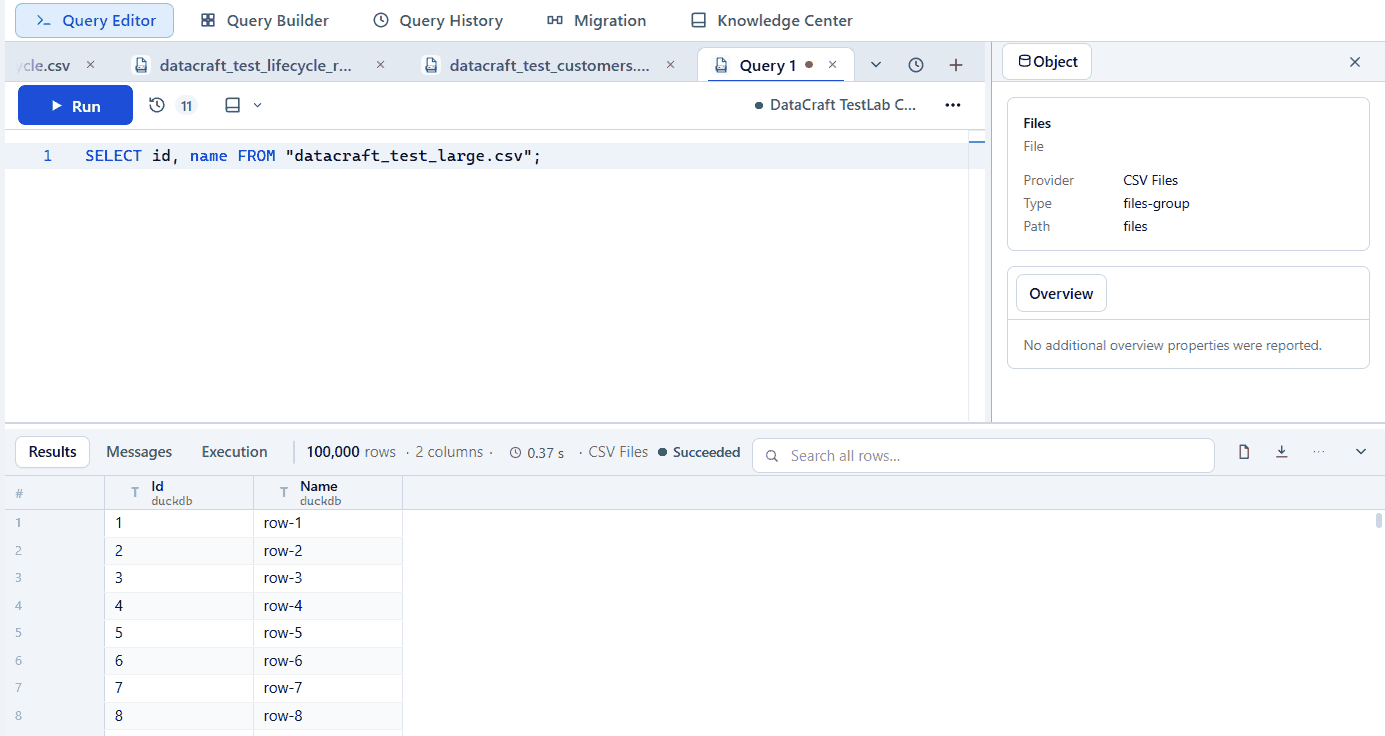
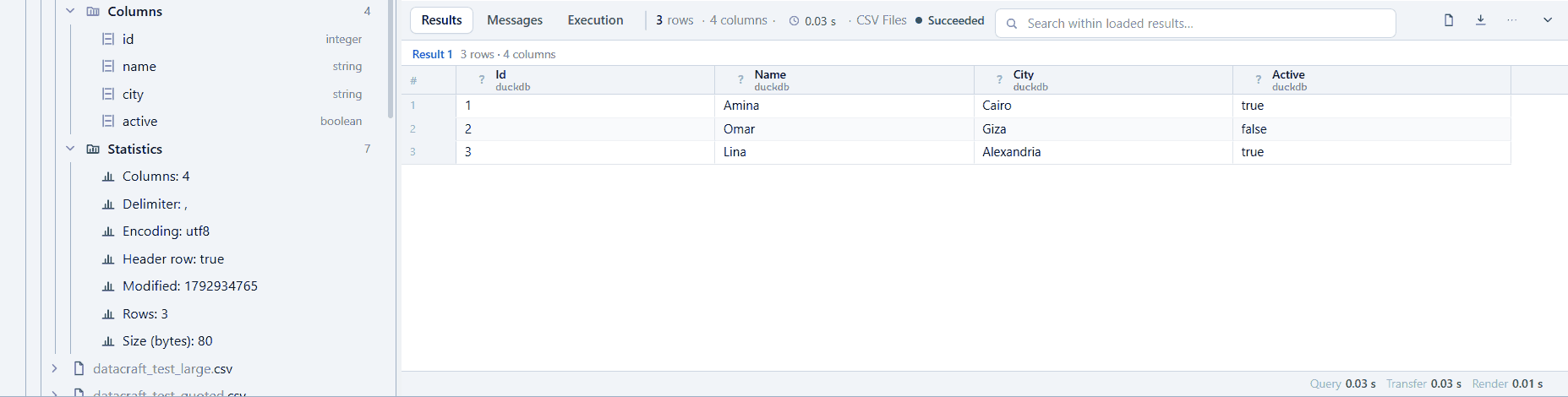
Real app screenshots from test workspaces with sample data, some cropped to the working area. A Pro build is shown.
What you get with CSV
Query a folder
Every matching file in the folder appears as a table.
Your format
Choose the delimiter, quote character, encoding and header handling.
Tune type inference
Sample 10 to 100,000 rows to balance speed and accuracy.
See inside files
Columns, row count, delimiter, encoding and size at a glance.
Writes supported
CSV folders support writes as well as reads.
Huge exports
Stream complete large exports to files.
Example
SELECT city, COUNT(*) AS customers
FROM "customers.csv"
GROUP BY city
ORDER BY customers DESC;
Free and Pro
Connections, the explorer, the query editor, autocomplete, results and export are in the Free plan. Pro adds saved workspaces, searchable history, visual builders, guided import, data migration, health diagnostics and the AI assistant, where CSV supports them. Compare plans.
Free is $0 with a free account. For 64-bit Windows 10 and 11.